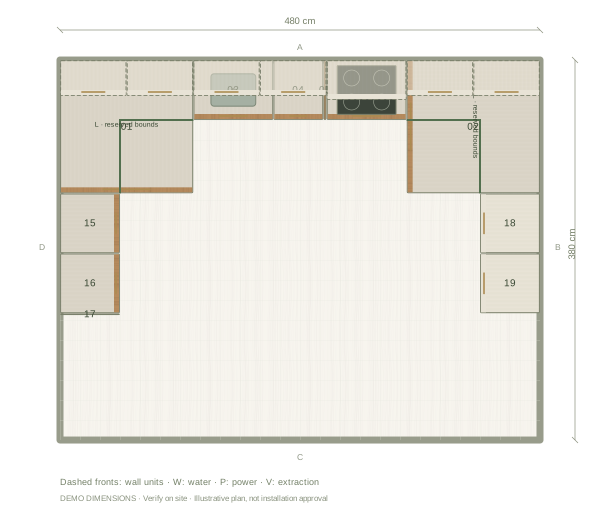
Check the centre before adding more storage
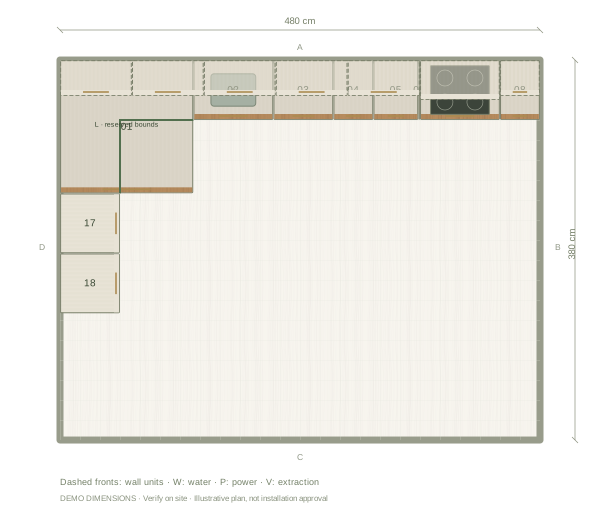
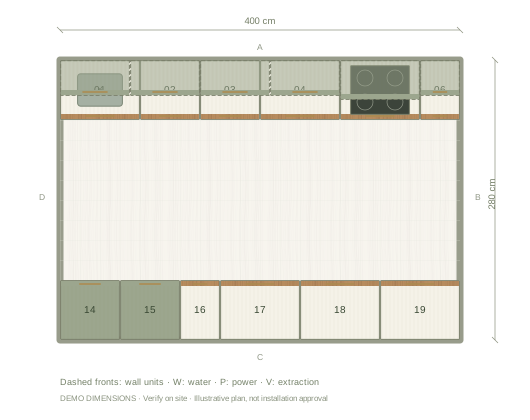
Opposing runs reduce the open area between cabinets. In this 480 cm wide example, two 60 cm deep side runs leave 360 cm between their bodies where they face each other. Handles, overhangs and open doors reduce usable space further; the number is geometry, not an installation approval.
Resolve both corners
The illustrated returns join the main run through two L-shaped corner units. Inspect the fronts of nearby drawers and the opening sequence at each corner. Compare alternative corner storage or a planned void against the products your supplier can provide. A corner that looks complete in plan still needs its hardware and worktop connection specified.
Keep the entrance legible
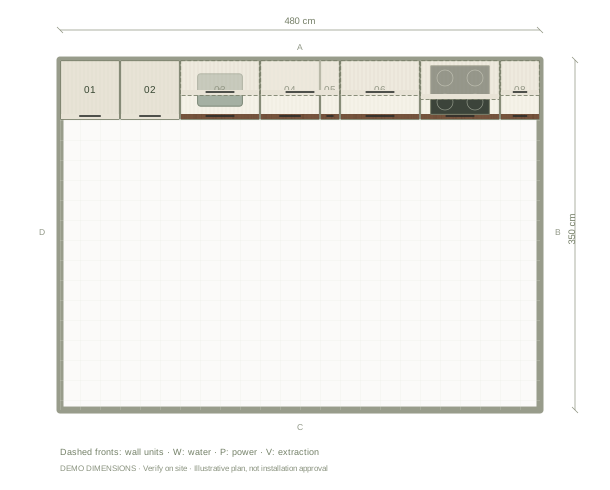
Avoid filling the open end simply because another unit fits. Mark the actual door and its swing, then consider how a person carrying shopping enters the kitchen. Use the 3D view to see whether tall storage blocks sightlines into the room.
Questions before you start
Can this example include seating?
You can add a worktop overhang or change the layout, but the software does not verify structural support, seating ergonomics or manufacturer requirements.
Are the return worktops joined automatically?
The visual cabinetry is a planning model. Review corner junctions and ask your supplier to specify the final worktop fabrication.