How Kitchen Rendering Works: From 3D Plan to Photo
A kitchen render is a picture made from a 3D model. Imagine photographing a kitchen before the cabinets have been built: the model provides the room and furniture, and the renderer calculates the light seen by the camera.
One free first High render per account. No payment details needed.
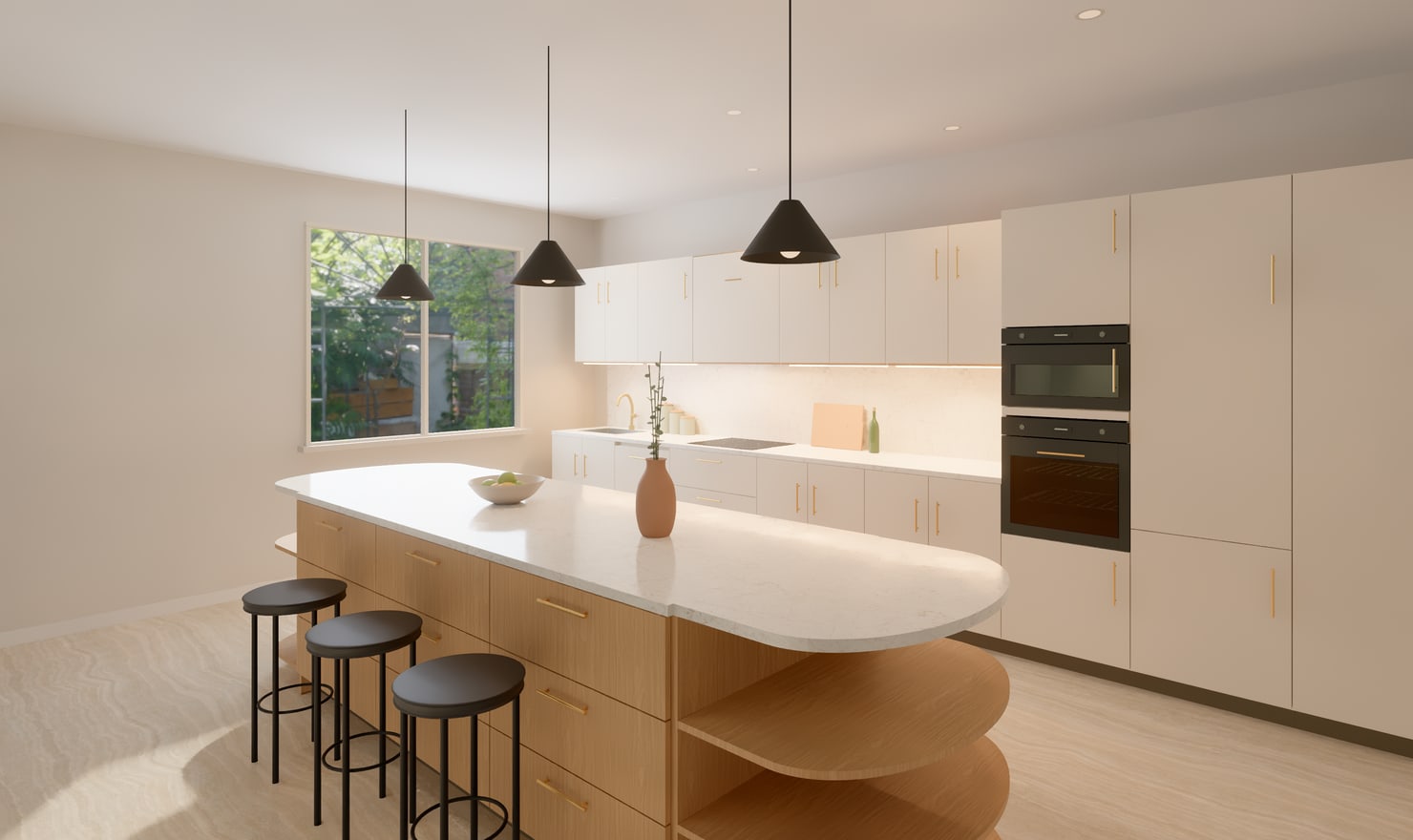
Actual Kitchform output from an editable kitchen model.
How a kitchen renderer makes the picture
01
Start with a room, not just a picture
The model describes wall lengths, ceiling height, openings and the position of each cabinet. Those dimensions determine what appears in the render. A photoreal image cannot correct a cabinet that was placed on the wrong wall. Measure the room and review the plan before refining its presentation.
02
Choose a camera view
A camera gives the picture a position, direction and lens. Use a room perspective for the overall layout, a front composition for a cabinet run, or a worktop detail for a smaller area. Saved cameras let you compare finishes from the same viewpoint. Keep the camera level when you want vertical cabinet edges to remain straight.
03
Give each surface a material
A finish contains more than a colour. Wood grain, stone pattern, surface roughness and small surface variations affect the light the camera sees. In Kitchform, selected finishes stay attached to the model. Changing a finish changes the rendering material without moving the cabinet. Compare real samples before choosing an actual product.
04
Calculate the light
Path tracing follows light through the scene. Light can bounce between the floor, fronts, worktop and walls, producing shadows and reflections. The renderer repeats the calculation many times. Additional samples reduce the random grain in the image; a noise-removal step then cleans the result before exposure and colour are developed.
05
Render and keep the result
Open Render Studio, review the camera and lighting, and sign in to save the kitchen. High photos render on the studio GPU rather than your computer. You can leave the page while the job runs, then return to its photo page and download the PNG. Photos are kept for 7 days, so download a copy you want to retain.
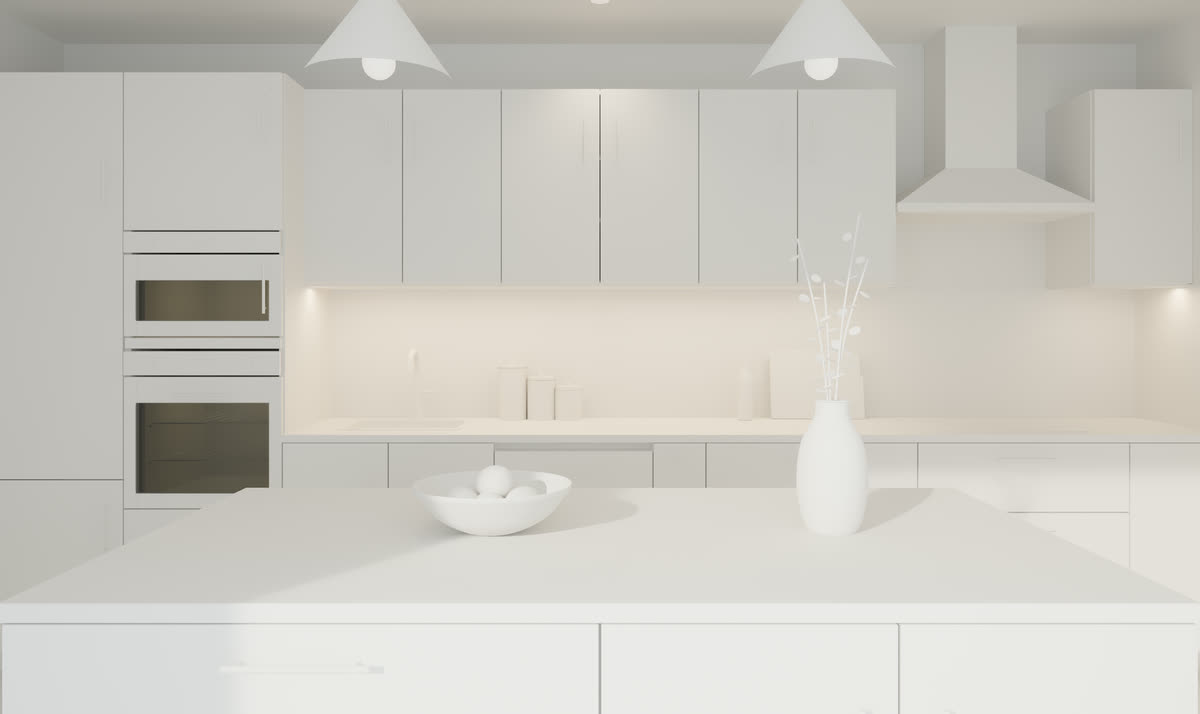
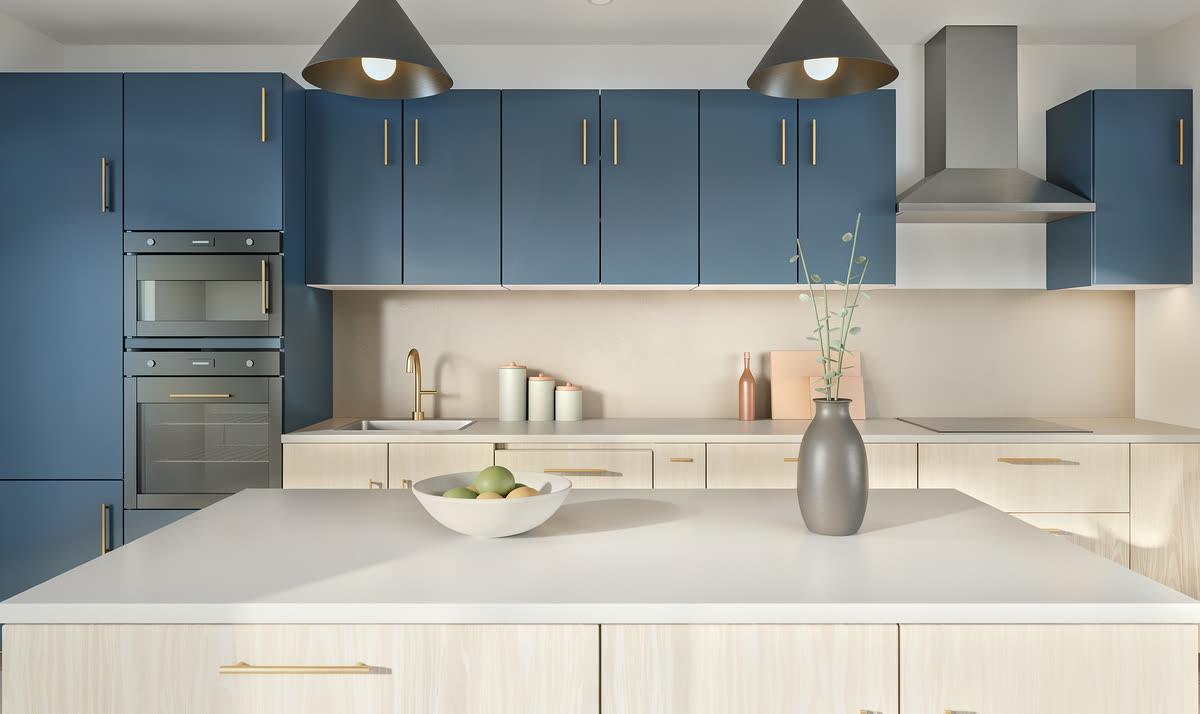
The same kitchen before and after rendering
Plain 3D model.Rendered materials and lighting, from the same camera.
Questions about kitchen rendering
Does rendering change my kitchen layout?
A faithful render uses your saved kitchen model. It does not redesign the room. Edit the model when a cabinet, opening or worktop needs to move.
Why does a render take longer than a 3D preview?
A preview uses simplified lighting for quick interaction. A final render calculates many light paths and cleans the image. GPU preparation, scene complexity, resolution and sampling affect the wait.
Can I try kitchen rendering for free?
Yes. Each signed-in Kitchform account has one free first High render. Failed or cancelled jobs preserve that allowance. Later renders require an eligible kitchen allowance.
Try a complete kitchen render
Open the warm oak sample, review its camera and sign in for your free first High render. Final photos run on the studio GPU. Download the result within 7 days to keep your copy.